 FamilyAtlas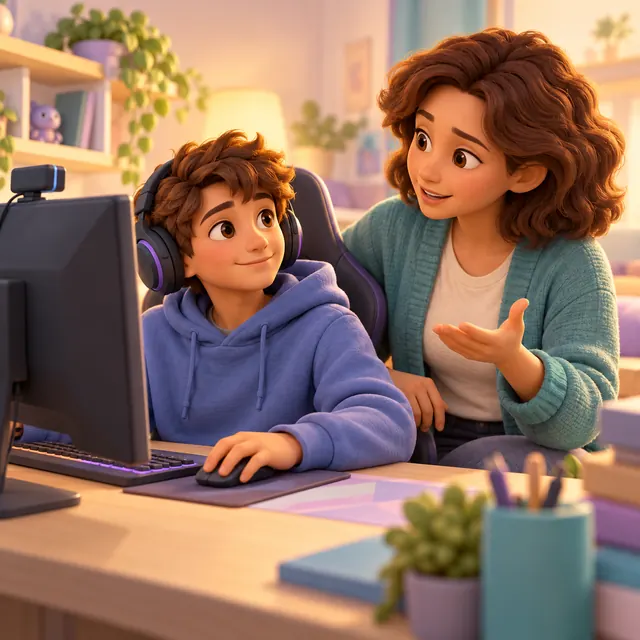
Watching a stream, joining public chat, sending private messages and broadcasting yourself are different decisions. Twitch generally requires at least 13, with regional requirements such as Australia’s under-16 account restrictions. In July 2026 Twitch introduced optional linked-parent controls for eligible teens. The teen sends the invitation, and either person can unlink at any time. While linked, parents can restrict streaming and Whispers, time and content recommendations. Treat this as an agreement, not a lock.
Start by watching a proposed channel together, deciding whether interaction is needed and setting a spending boundary. Live content can change after you start watching, so a familiar creator or classification label is not a guarantee. Practice leaving, blocking and reporting. If streaming is allowed at all, make a separate plan for camera background, moderation and what will happen when a viewer behaves badly.
Twitch: Introducing Parental Controls for Teen Accounts · eSafety: Social media age restrictions · Twitch: Parental Controls in the Family Center
The parent concern
A child may ask to watch a gaming tutorial while a parent hears “social livestreaming.” Agree on the actual feature before deciding.
Use Twitch’s new Family Center
Twitch Family Center lets a teen aged 13–17 invite a parent or guardian to link accounts. While linked, the parent can turn off going live and Whispers, set a daily limit, filter content recommendations by labels and get a weekly summary. Either person can unlink at any time, so treat it as a shared agreement, not a lock. Links end at 18.
Twitch: Introducing Parental Controls for Teen Accounts · Twitch: Parental Controls in the Family Center
Do not treat labels as a complete age gate
Watch the proposed channel before making a decision, including its chat behavior. Review the content-label controls available in your linked account; recommendation filtering is not proof that every direct link or live moment is appropriate. Ask what the child will do if the stream changes unexpectedly.
Separate chat and money from watching
Decide whether public chat or private messaging is necessary. Practice declining requests to move to a different app. Review subscriptions, donations and saved payment details with the account holder, and agree that a creator’s request is not an obligation to pay.
Do not share the child’s school, real name, routine or contact details in chat. Use a recognizable route to report or block, and leave when necessary.
Treat advertisements and creator promotions as a separate conversation: do not assume a subscription removes every ad or that a promoted product is appropriate for a child. Ask the child to pause before following a purchase link and verify offers independently.
Check region and make streaming a separate decision
eSafety’s guidance describes Australian under-16 restrictions that include Twitch. In Australia, Twitch accounts require at least 16, so its teen controls apply to eligible 16–17-year-olds there. Elsewhere, check Twitch’s current account requirements; an account age threshold does not establish readiness to broadcast.
If the child wants to go live, review the livestreaming checklist separately rather than treating viewing permission as broadcast permission.
eSafety: Social media age restrictions
Before your child broadcasts: a livestream checklist · Decide whether a social account is appropriate yet
What you can do right now
- Check eligibility and local restrictions.
- Review a channel and its chat together.
- Ask the eligible teen to invite you through Family Center; agree what happens if either person unlinks.
- Decide on Whispers and going live separately.
- Set a spending rule and practice reporting.
A way to start the conversation
“You want to watch this game, which is different from broadcasting yourself. Let’s decide which parts you need and turn off the ones we haven’t agreed to.”
A suggested script to adapt, not a clinical intervention.
What technology cannot solve
A channel’s content can change live. Labels and recommendation controls do not replace judgment, and FamilyAtlas does not configure Twitch’s native controls or read its private messages.
Questions parents ask
Does Twitch have parent controls now?
Twitch Family Center lets a teen aged 13–17 invite a parent or guardian to link accounts. While linked, the parent can turn off going live and Whispers, set a daily limit, filter content recommendations by labels and get a weekly summary. Either person can unlink at any time, so treat it as a shared agreement, not a lock. Links end at 18.
Does watching mean we must allow going live?
No. Treat viewing, chat, messaging and broadcasting as separate permissions.
Can a channel label guarantee suitable content?
No. Review the channel, moderation and what the child should do if the live content changes.
Sources and review
Provider documentation explains settings and eligibility. Professional guidance provides context, while our suggested family strategies are labeled separately. FamilyAtlas’s device and release limits are stated above.
- Twitch — Introducing Parental Controls for Teen Accounts fact · checked 2026-09-30
- eSafety — Social media age restrictions fact · checked 2026-09-30
- Twitch — Parental Controls in the Family Center fact · checked 2026-09-30
Next source review: 2026-12-30. Menus, eligibility and rollouts can change; follow the linked provider instructions if your screen differs.
Written by FamilyAtlas; product descriptions are not independent product recommendations. No claim of medical or psychological review is made.
Keep working through the problem

My Child Wants to Livestream — A Parent Safety Checklist Before They Go Live
What must we agree before turning on the camera or live microphone?
Read the guide
When Should Kids Be Allowed Social Media? Age, Readiness and Family Rules
All their friends have accounts. Is turning 13 enough?
Read the guide
How to Stop Kids From Making In-App Purchases on iPhone and Android
How do I stop surprise game purchases on my child’s phone?
Read the guide